Export, back up and delete your questions
Every question you bring to DoMcq stays yours. You can take any set out as a domcq/1 file, or everything at once as one zip, at any time and on the free plan.
1 Export one set
Open Sets in the header. Export next to a set downloads one domcq/1 file named after the set, such as
my-set.domcq.json. It holds every question in the set as you last saved it, each with theidDoMcq gave it, so the file can come back in later.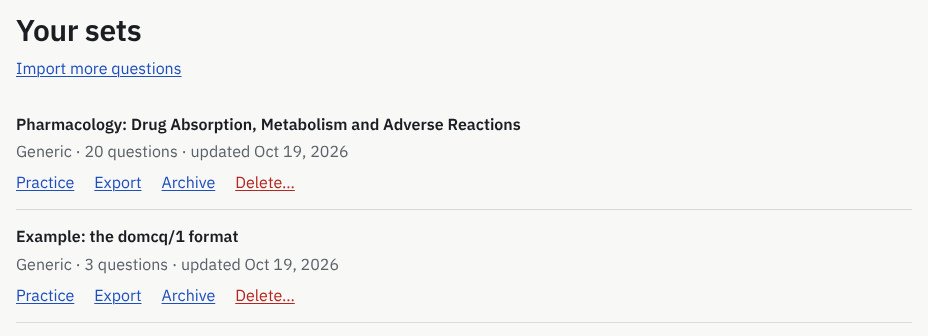
What you will see: Your sets, each set with Practice, Export, Archive and Delete…. 2 Download everything
Open Account in the header. Under Your data, Download my data (zip) gives “One zip with every set as a domcq/1 file (each re-imports) and the rest as JSON.”
Besides the sets it holds your sessions with every answer, your notes, bookmarks and exam profiles, and your account details. “It does not contain the raw files you pasted at import, nor earlier versions of questions you have edited.” It can be downloaded three times an hour.
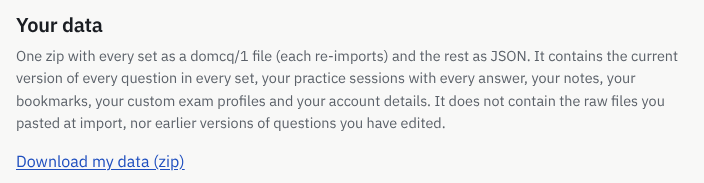
What you will see: Your data: what the zip holds and Download my data (zip). 3 Keep the files
The files are plain text in an open format. Keep them wherever you keep your notes; any tool that reads domcq/1 can open them.
4 Import a set again
Paste an exported file at domcq.com/import, or use Choose a .json file. Questions still in your account go back to the same questions, with their sessions, bookmarks and notes. A question you have deleted since comes back as a new one, without its old history. A file from an exam profile you have since deleted names that profile in its
examline; remove the line and the file imports as an ordinary set.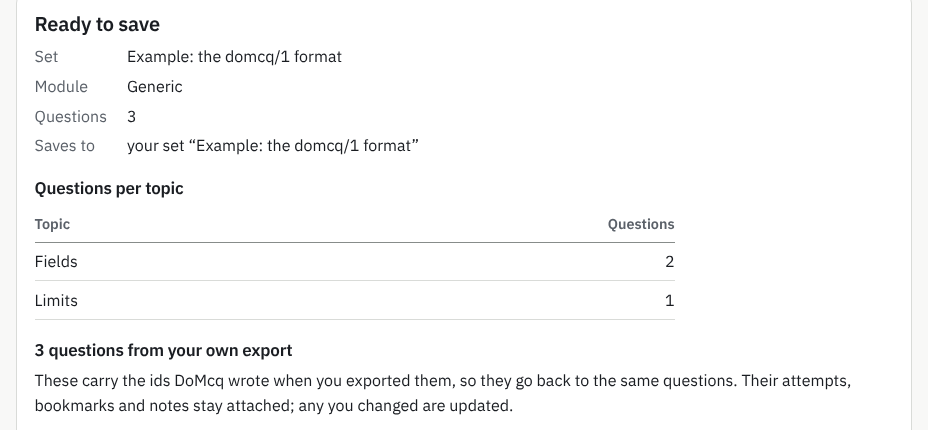
What you will see: 3 questions from your own export and what that means for their history. 5 Archive or delete a set
Archive hides a set from practice and keeps everything in it: “Archived sets are hidden from practice. Everything in them is kept; restore one to use it again.” Restore brings it back.
Delete… asks first and lists what would go. “Your past attempts keep their scores, but will no longer list these questions. This can’t be undone.” Download an export first is right there; Delete permanently deletes.
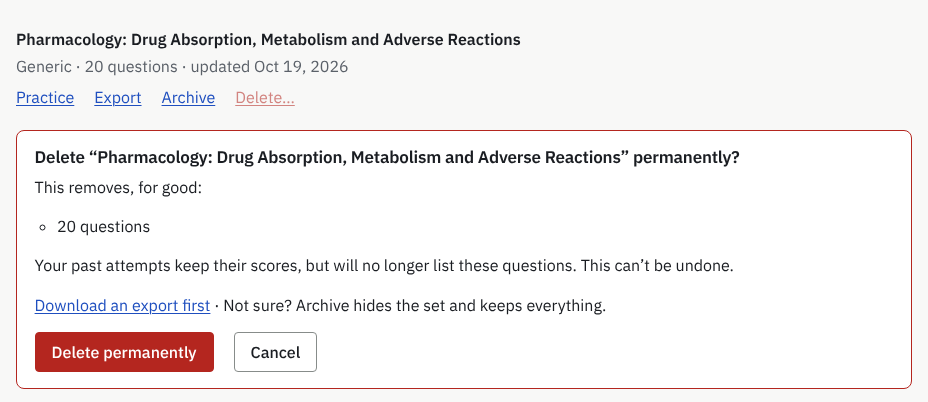
What you will see: What would go, Download an export first, the offer to archive instead, and Delete permanently. Nothing is deleted until you press it. 6 Delete your account
On Account, under Delete your account, type the word in Type delete to continue and press Email me the deletion link. The email’s link works once, for 24 hours, and nothing is deleted until you press Delete my account for good on its page.
Everything in the account goes. The record of a purchase is kept with your email replaced by a keyed hash, so a refund can still be matched; deleted data leaves DoMcq’s backups within twelve weeks. The privacy policy has the details. Download your data first if you want to keep it.
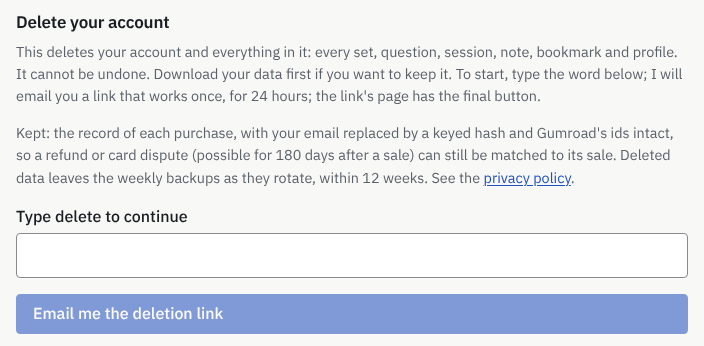
What you will see: Delete your account: what goes, what is kept, the box for the word, and Email me the deletion link.
More guides
- Hundreds of questions
- How to turn a PDF or Word file of multiple-choice questions into a timed practice test
DoMcq runs no AI. It never writes, fixes or explains questions; your AI does the writing, DoMcq makes the questions count.