Practicing for an exam DoMcq does not list
DoMcq has modules for a list of exams. Any other exam, a university course or a chapter you are studying works too, through the prompt builder and, if you want one, an exam profile of your own.
1 Open the prompt builder and describe your exam
Go to domcq.com/prompts/build. No account is needed. “Nothing you type leaves your browser.”
Type the Subject and list your topics under Topics, one per line: your syllabus or chapter list. “The prompt tells your AI to use exactly these names, so your dashboard can show coverage and weak areas by topic.” Set Fewest options per question and Most options per question, and tick Allow questions with more than one correct answer only if your exam has such questions.
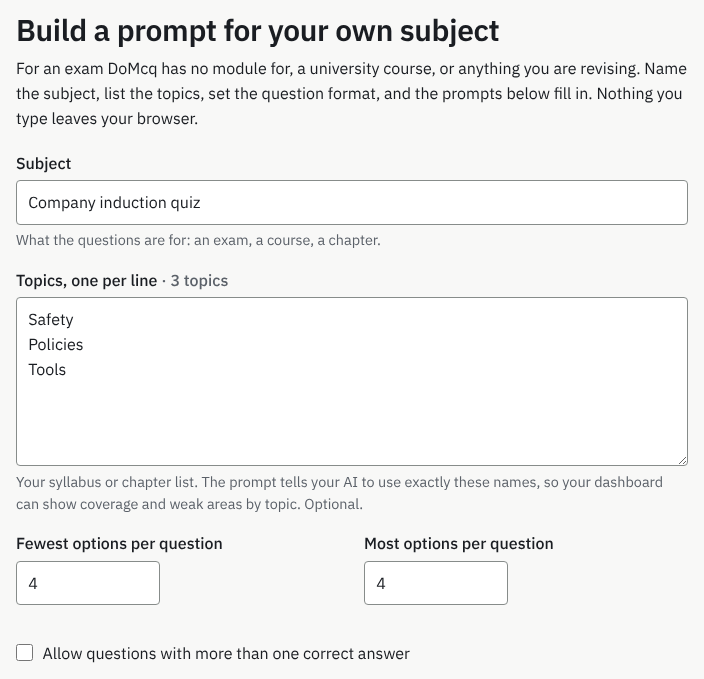
What you will see: Subject, Topics, one per line, Fewest options per question, Most options per question and the multiple-answer tick-box, filled in for an example subject. 2 Copy a prompt
Under Your prompt, choose Generate new questions or Convert questions I already have; the prompt fills in as you type. Press Copy prompt and run it in ChatGPT, Claude or Gemini. Then import the reply and practice, as in the PDF guide or the guide to generating questions.
Without a profile, your files use the Generic module: any topic names, 2 to 6 options, and a timer you set each time you start an exam session.
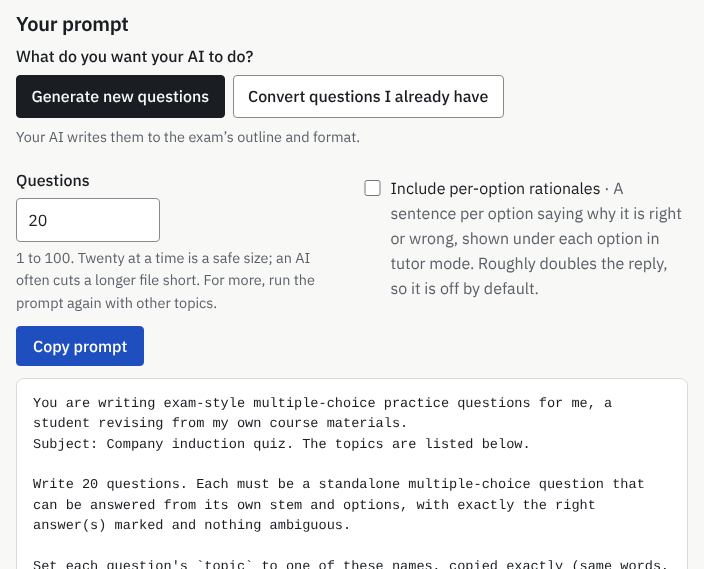
What you will see: Your prompt with both modes, Copy prompt, and the prompt filled with your subject and topics. Save this as a profile is further down the page. 3 Save it as a profile
To keep these settings, press Save this as a profile. “Takes you to sign up (or sign in), then to the profile form, filled in.”
Check the form, add a timer and a scoring rule if you want them, and press Create profile. “Profiles come with any pass.”
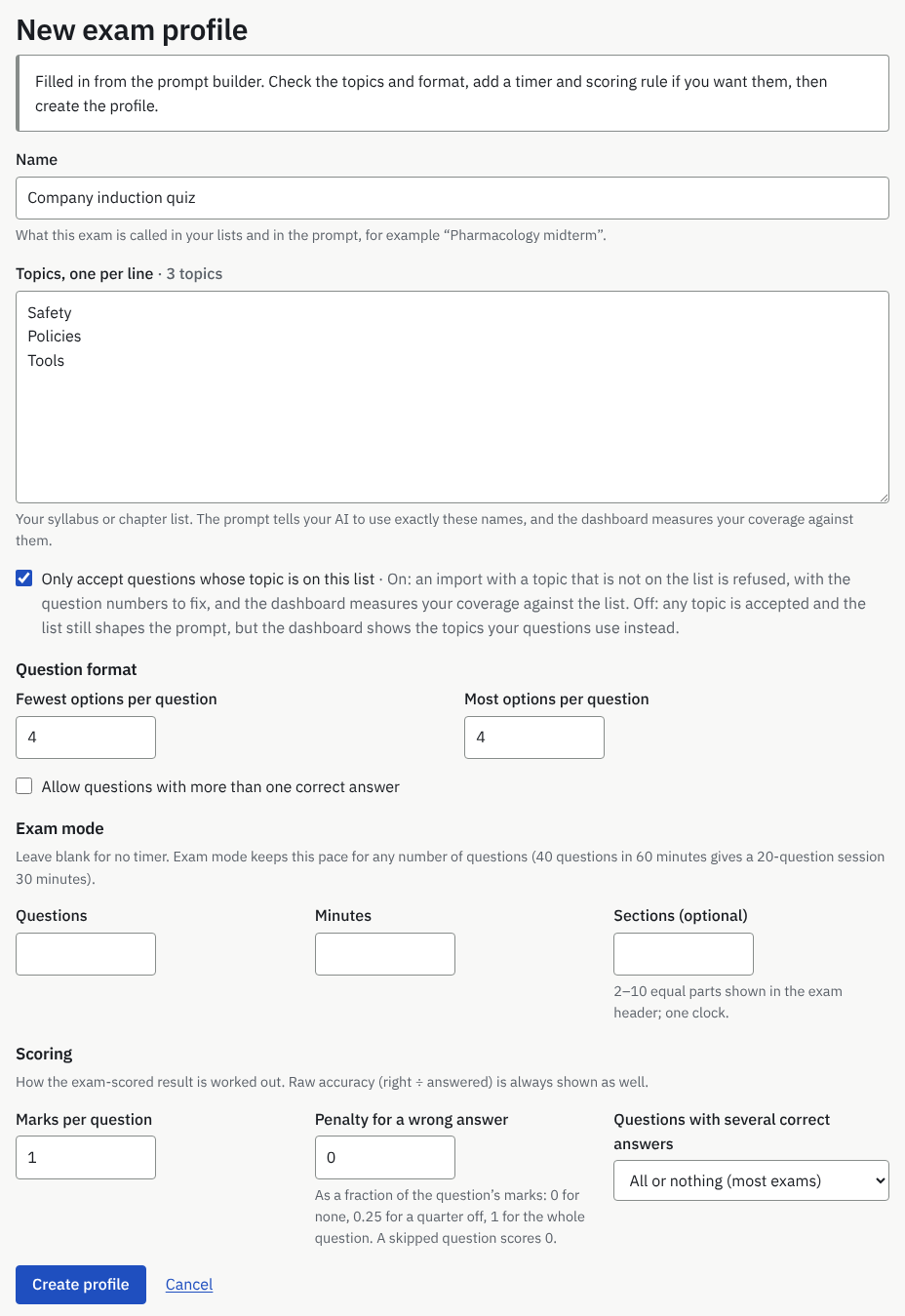
What you will see: New exam profile, filled in from the builder, with the notice “Filled in from the prompt builder. Check the topics and format, add a timer and scoring rule if you want them, then create the profile.” 4 Use the profile
The profile’s page has Your prompt, filled with your topics and rules, and Import a file. A file made with that prompt names the profile, so DoMcq checks it against your format and, with Only accept questions whose topic is on this list ticked (the default), your topic list. Exam mode uses your timer, and with the list enforced the dashboard measures your coverage against it.
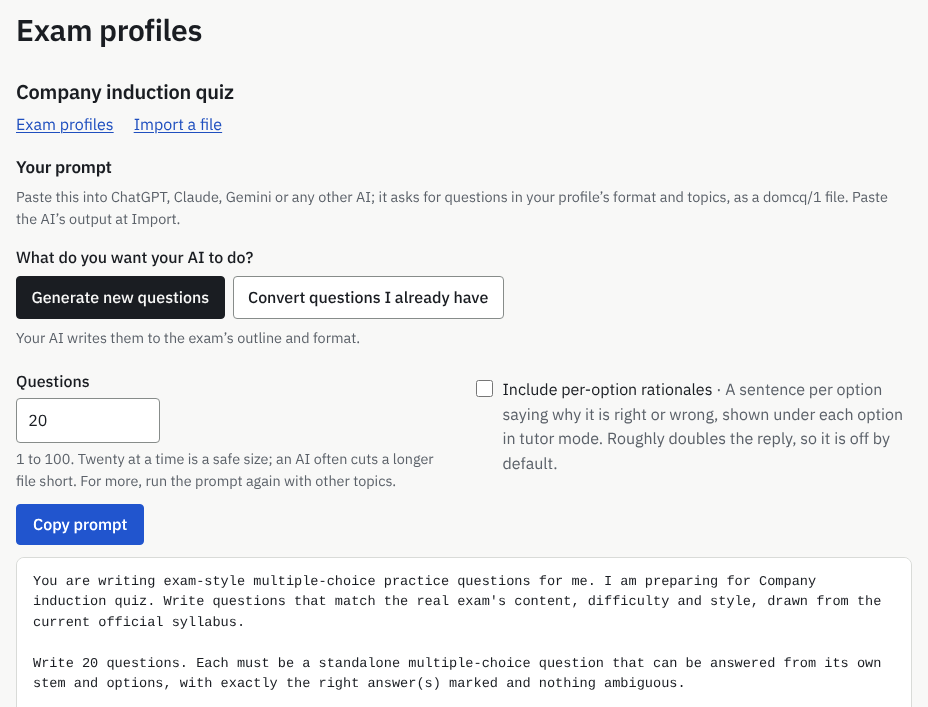
What you will see: The profile’s page: Import a file, and Your prompt, filled with your topics and rules. Sets in this profile is further down.
What a profile can do
- Hold your topic list, up to 200 topics. With Only accept questions whose topic is on this list ticked, an import with any other topic is refused and the dashboard measures coverage against your list; unticked, any topic is accepted, the list still shapes the prompt, and the dashboard shows the topics your questions use.
- Set the question format: 2 to 6 options per question, and one correct answer or more.
- Time exam mode: a number of questions in a number of minutes, optionally in 2 to 10 sections. “Exam mode keeps this pace for any number of questions”.
- Score sessions your way: marks per question, a penalty for a wrong answer, and all-or-nothing or partial credit for questions with several correct answers. Raw accuracy is always shown as well.
What a profile cannot do
- Write questions. DoMcq runs no AI; the questions come from your AI or your own documents.
- Weight its topics. The dashboard shows each topic’s share of your questions, with no official percentages to compare against.
- Hold anything but multiple-choice text questions: no pictures, no other item types.
- Be made or changed without a pass: “Making or changing a profile needs a pass: any Exam Pass, the Any Exam Pass or All-Access (see Pricing).” The builder, the Generic module and its per-session timer are free.
An account can have up to 50 profiles. Deleting a profile keeps its sets, “as ordinary Generic sets”, with every question and answer. A file exported while the profile existed still names it in its exam line; to import that file again after deleting the profile, remove that line first. Archiving a profile instead keeps its files importable.
More guides
- How to have ChatGPT, Claude or Gemini write practice questions for your exam, and practice them on the real clock
- How to turn a PDF or Word file of multiple-choice questions into a timed practice test
DoMcq runs no AI. It never writes, fixes or explains questions; your AI does the writing, DoMcq makes the questions count.